
 fps.ms Team
 By default, your server will have a default MOTD such as Free Server Supplied by FPS.ms, though you can change this anytime to whatever you want.
- Open your browser and go to https://panel.fps.ms.
- Select your server and go to the Files tab.
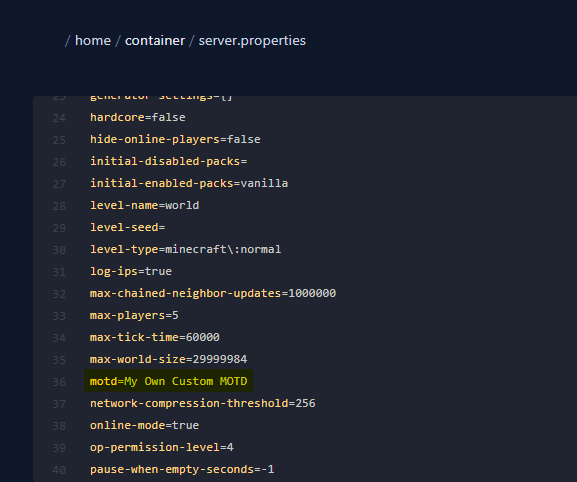
- Find the file named server.properties and open it.
- Update a line called motd to whatever you want.
- Restart your server.
If you want to customize your MOTD with different colors or bold text, you might want to check out https://mctools.org/motd-creator - you can copy and paste this directly into your server.properties.